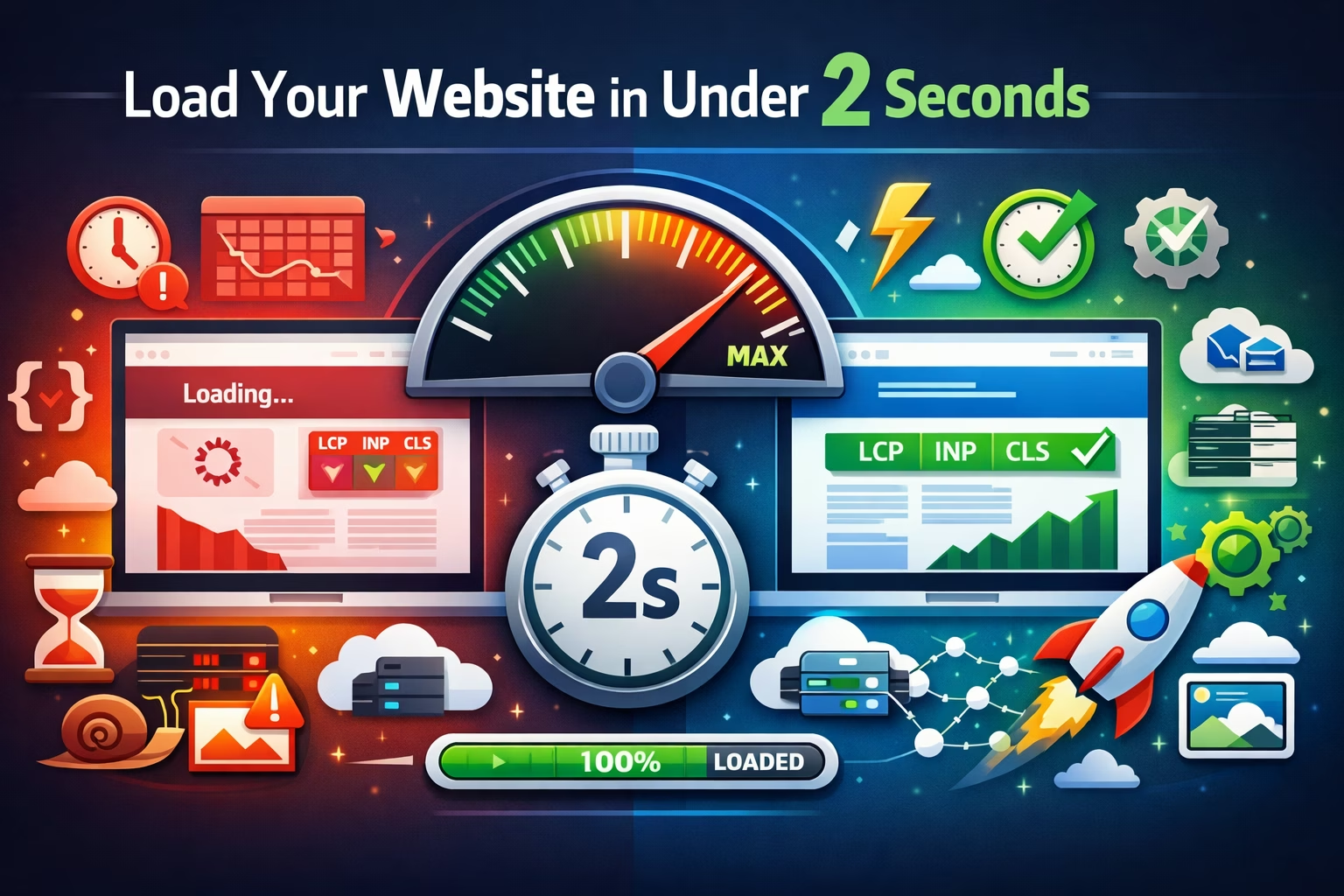
Website Speed Optimization: How to Make Your Site Load in Under 2 Seconds

Learn how to optimize website speed with proven techniques to improve page speed, Core Web Vitals, and load time. Boost performance and make your site load in under 2 seconds.
Website speed optimization is the process of improving how quickly your pages load, render, and become interactive. A faster website improves user experience, supports conversions, lowers bounce rate, and helps you perform better in search results.
If your goal is to make your website load in under 2 seconds, you need more than a few random fixes. You need a structured approach built around page speed, Core Web Vitals, server performance, asset optimization, and efficient front-end delivery.
This guide explains what website speed optimization is, why it matters, how to test website performance, and the most effective ways to improve website speed without relying on guesswork.
What Is Website Speed Optimization?
Website speed optimization is the practice of reducing load time and improving web performance across desktop and mobile devices. It includes technical improvements like image compression, browser caching, code minification, reducing HTTP requests, lazy loading, and improving Time to First Byte.
In practical terms, website speed optimization helps pages:
- load faster
- render meaningful content sooner
- respond to user input more quickly
- remain visually stable during loading
When people search for terms like “how to optimize website speed,” “how to increase website speed,” or “fix slow loading website,” they are usually trying to solve one of three problems:
- Their website feels slow to visitors
- Their Core Web Vitals scores are poor
- Their conversions or rankings are suffering because of performance issues
Why Site Speed Matters
Site speed affects far more than technical performance. It directly influences how users experience your website.
Better User Experience
Visitors expect pages to load quickly. Slow pages create friction, especially on mobile. A fast site feels more trustworthy, easier to use, and more professional.
Higher Conversion Potential
When load time increases, users are more likely to abandon a page before taking action. Faster pages support lead generation, sales, signups, and engagement.
Stronger SEO Performance
Google uses page experience and performance-related signals as part of ranking evaluation. Core Web Vitals are especially important because they measure how quickly users can see, interact with, and trust a page.
Lower Bounce Rates
Slow pages often increase abandonment before users engage with content. Improving page speed can reduce bounce rate and improve session depth.
Improved Crawl Efficiency
Faster pages can help search engines crawl more efficiently, especially on large sites with thousands of URLs.
What Is a Good Page Speed Score?
A good page speed score depends on the tool you use, but scores alone should not be your only focus. What matters most is real user performance.
Still, as a practical benchmark:
- 90+ in Lighthouse or PageSpeed Insights is generally strong
- Core Web Vitals should pass at the URL and site level where possible
- Your page should feel fast on mobile, not just on desktop tests
A site can have a decent score and still feel slow if large elements load late or interactions lag. That is why you should evaluate both scores and real performance metrics.
What Are Core Web Vitals?
Core Web Vitals are Google’s key user experience metrics for measuring loading, interactivity, and visual stability.
Largest Contentful Paint (LCP)
LCP measures how long it takes for the largest visible content element to load, such as a hero image, large heading, or banner. A slow LCP often points to large assets, slow server response, render-blocking resources, or poor caching.
Interaction to Next Paint (INP)
INP measures how responsive a page feels when users interact with it. High INP can be caused by heavy JavaScript, long tasks, third-party scripts, or inefficient event handling.
Cumulative Layout Shift (CLS)
CLS measures visual stability. If elements move around while a page loads, users get a poor experience. Common causes include images without dimensions, injected ads, late-loading fonts, and dynamic content shifts.
These metrics are central to modern website speed optimization because they connect technical performance to real user experience.
Other Important Website Speed Metrics
Core Web Vitals matter most, but other performance indicators help diagnose issues more precisely.
Time to First Byte (TTFB)
TTFB measures how quickly the server responds to the initial request. Slow TTFB may indicate hosting problems, server overload, inefficient backend processing, or missing caching layers.
First Contentful Paint (FCP)
FCP shows when the first visible content appears on screen. This helps measure perceived speed.
Total Blocking Time (TBT)
TBT reflects how much main-thread blocking happens before a page becomes interactive. It is commonly affected by large JavaScript bundles.
Time to Interactive (TTI)
TTI measures when a page becomes fully interactive. It is useful for diagnosing heavy front-end experiences.
Page Load Time
This is a broader timing metric used by many tools. It is helpful, but you should not rely on it alone.
How to Test Website Performance
Before you start changing anything, you need reliable diagnostics. If you do not test properly, you will waste time fixing the wrong things.
Use PageSpeed Insights
PageSpeed Insights is useful for understanding Lighthouse recommendations and Core Web Vitals. It gives both lab and field data when available.
Use GTmetrix
GTmetrix is excellent for waterfall charts, page structure analysis, and detailed loading behavior.
Use Pingdom Tools
Pingdom is useful for high-level speed testing and identifying large files or requests.
Use Lighthouse
Lighthouse provides audits for performance, accessibility, best practices, and SEO. It is especially useful during development.
Use CrUX Data
Chrome User Experience Report data helps you understand real-world performance from actual users.
Review the Waterfall Chart
A waterfall chart helps you see:
- slow requests
- blocking assets
- large files
- dependency chains
- third-party bottlenecks
If you want to diagnose a slow website correctly, the waterfall chart is one of the most valuable tools you can use.
How to Diagnose a Slow Website
A slow site usually has multiple causes. Instead of guessing, work through the stack in order.
1. Check Server Response Time
If TTFB is slow, your performance problem may begin at the server or application level.
2. Identify Large Assets
Oversized images, video backgrounds, bulky CSS, and large JavaScript files often slow down LCP and overall load time.
3. Look for Render-Blocking JavaScript and CSS
These resources delay content rendering and can make pages appear blank longer than necessary.
4. Audit Third-Party Scripts
Chat widgets, tracking pixels, ad scripts, and embedded tools often add significant overhead.
5. Analyze Mobile Performance Separately
A page that feels acceptable on desktop can be painfully slow on mobile devices and weaker networks.
6. Review Caching Setup
Missing browser caching, weak CDN configuration, or no page caching can increase load time dramatically.
7. Check Layout Shift Sources
Late-loading fonts, unreserved ad space, and media without dimensions often create CLS issues.
How to Make Your Website Load in Under 2 Seconds
If you want to make your website load in under 2 seconds, focus on the biggest gains first.
Prioritize Above-the-Fold Content
Load the most important visible content first. Users should see something meaningful almost immediately.
Reduce Server Delays
Upgrade hosting, optimize backend queries, use caching, and reduce application overhead.
Compress and Resize Images
Large images are one of the most common causes of slow pages. Use next-gen formats where appropriate and serve responsive image sizes.
Remove Unnecessary Code
Eliminate unused CSS and JavaScript. The lighter the page, the faster it can load and become interactive.
Limit Third-Party Dependencies
Every external script adds more requests, execution time, and risk.
Deliver Assets Through a CDN
A content delivery network can improve delivery speed by serving files closer to the user’s location.
Use Browser Caching
Caching helps returning visitors load pages faster and reduces repeated downloads.
Lazy Load Non-Critical Content
Images and embeds below the fold should not compete with critical content during initial load.
15 Proven Website Speed Optimization Techniques
1. Optimize Images for Web
Image optimization is one of the fastest wins. Compress images, resize them correctly, and avoid uploading giant files when a smaller display size is enough.
Best practices:
- compress images before upload
- use modern formats when suitable
- serve responsive image dimensions
- avoid decorative images that do not add value
2. Enable Browser Caching
Browser caching stores files locally so returning visitors do not re-download everything on each visit. This can significantly improve repeat-load performance.
3. Minify CSS and JavaScript
Minification removes unnecessary characters from code files, reducing file size and improving transfer speed.
4. Reduce HTTP Requests
Too many files mean too many requests. Combine assets where practical, remove unnecessary plugins, and simplify front-end dependencies.
5. Remove Render-Blocking Resources
Critical resources should load first. Non-critical JavaScript and CSS should be deferred, delayed, or loaded more efficiently.
6. Use a Content Delivery Network
A CDN helps reduce latency and improves asset delivery, especially for geographically distributed audiences.
7. Improve Time to First Byte
To reduce TTFB:
- improve hosting quality
- optimize database queries
- use full-page caching
- reduce backend processing time
8. Enable GZIP or Brotli Compression
Compression reduces file transfer size for text-based resources like HTML, CSS, and JavaScript.
9. Lazy Load Images and Embeds
Lazy loading prevents below-the-fold assets from loading too early, preserving bandwidth and improving initial rendering.
10. Limit Third-Party Scripts
Many sites lose speed because of marketing tags, widgets, and embedded services. Remove anything non-essential.
11. Use Efficient Fonts
Too many font files or variants can create delays. Use fewer weights, preload critical fonts carefully, and avoid font-related layout shifts.
12. Optimize CSS Delivery
Inline or prioritize critical CSS where appropriate so users can see visible content faster.
13. Reduce JavaScript Execution
Heavy JavaScript affects INP, TBT, and TTI. Break up long tasks, ship less code, and remove scripts that do not support core functionality.
14. Improve Hosting and Infrastructure
Sometimes the real issue is weak hosting. Better infrastructure, server-side caching, and improved configuration can make a dramatic difference.
15. Monitor Performance Continuously
Website speed optimization is not a one-time fix. New plugins, code changes, and third-party tools can gradually slow pages again.
What Is Render-Blocking JavaScript?
Render-blocking JavaScript is JavaScript that prevents the browser from showing page content until the script is downloaded, parsed, and executed.
This is a major performance issue because users may stare at a blank screen while the browser waits. Reducing or deferring render-blocking JavaScript can improve First Contentful Paint and Largest Contentful Paint.
What Is Browser Caching?
Browser caching stores previously downloaded files on a user’s device so they do not need to be fetched again during later visits. It reduces load time and improves repeat user performance.
Static files that often benefit from caching include:
- images
- CSS files
- JavaScript files
- fonts
What Is Lazy Loading?
Lazy loading delays non-critical resources until they are actually needed, usually when a user scrolls near them. This improves initial page load and helps prioritize visible content.
Lazy loading is especially useful for:
- images below the fold
- iframes
- embedded videos
- long pages with rich media
What Is Minification?
Minification is the process of reducing code file size by removing unnecessary characters such as whitespace, comments, and line breaks without changing functionality.
Code minification helps reduce transfer size for:
- CSS
- JavaScript
- HTML
This supports faster downloads and can improve page speed, especially on slower networks.
What Is a CDN?
A CDN, or Content Delivery Network, is a distributed network of servers that deliver website assets from locations closer to the user. This reduces latency and improves speed, especially for global audiences.
A CDN is particularly useful for:
- images
- stylesheets
- JavaScript files
- video assets
- cached static content
Common Website Speed Mistakes
Many websites stay slow because they focus on minor tweaks instead of the biggest bottlenecks.
Common mistakes include:
- uploading oversized images
- using too many plugins or scripts
- ignoring mobile performance
- relying on scores instead of user experience
- failing to monitor changes over time
- not reserving space for images and ads
- using cheap hosting for high-traffic sites
- letting third-party tools overload the page
Website Speed Optimization for WordPress
If you want to speed up a WordPress website, focus on platform-specific issues in addition to general performance best practices.
Common WordPress Speed Problems
- bloated themes
- too many plugins
- poor hosting
- excessive page builders
- unoptimized images
- no page caching
WordPress Speed Improvements
- use lightweight themes
- audit and remove unnecessary plugins
- enable caching
- optimize database performance
- compress and lazy load images
- reduce script-heavy design elements
WordPress sites can become fast, but only when performance is treated as a priority instead of an afterthought.
How Website Speed Impacts SEO
Website speed supports SEO in several ways.
Better User Signals
When pages load quickly, users are more likely to stay, engage, and move deeper into the site.
Better Page Experience
Fast, stable, responsive pages align with Google’s user experience goals.
Stronger Mobile Performance
Since many searches happen on mobile devices, speed issues on weaker connections can directly affect search visibility and engagement.
Improved Crawl Efficiency
Large sites benefit when search engines can fetch pages more efficiently.
Speed alone will not rank thin content, but slow performance can reduce the impact of otherwise strong SEO work.
Recommended Website Speed Optimization Checklist
Use this checklist when improving page speed:
- test your website speed with multiple tools
- review Core Web Vitals
- check Time to First Byte
- compress and resize images
- enable browser caching
- use GZIP or Brotli compression
- minify CSS and JavaScript
- remove render-blocking resources
- reduce third-party scripts
- lazy load offscreen assets
- use a CDN
- improve hosting and server response
- monitor performance after every major update
Final Thoughts
Website speed optimization is not about chasing a perfect score. It is about creating a faster, smoother experience that helps users get what they need without friction.
If your website is slow, start with the biggest levers:
- improve server response time
- optimize images
- reduce JavaScript overhead
- eliminate render-blocking resources
- strengthen caching and CDN delivery
That is how you improve website performance, reduce load time, and make your website load in under 2 seconds in a sustainable way.
A fast website is better for SEO, better for users, and better for business.