What is Cursor AI and How to Use Local Models With Cursor.ai To Simplify Coding

Cursor AI is an AI-powered code editor built by Anysphere that helps developers write, debug, and manage code faster. Learn who built it, how it works, and why it is changing modern software development.
Introduction
Software development has always demanded deep focus, technical knowledge, and a significant investment of time. Writing clean code, tracking down bugs, navigating large codebases, and keeping up with rapidly changing technologies is no small challenge — even for seasoned developers.
But the way we build software is changing.
Artificial intelligence has entered the coding world in a serious and lasting way. Tools that once seemed experimental are now becoming core parts of professional development workflows. Among all the AI coding tools that have emerged in recent years, Cursor AI has quickly risen to become one of the most widely adopted and discussed.
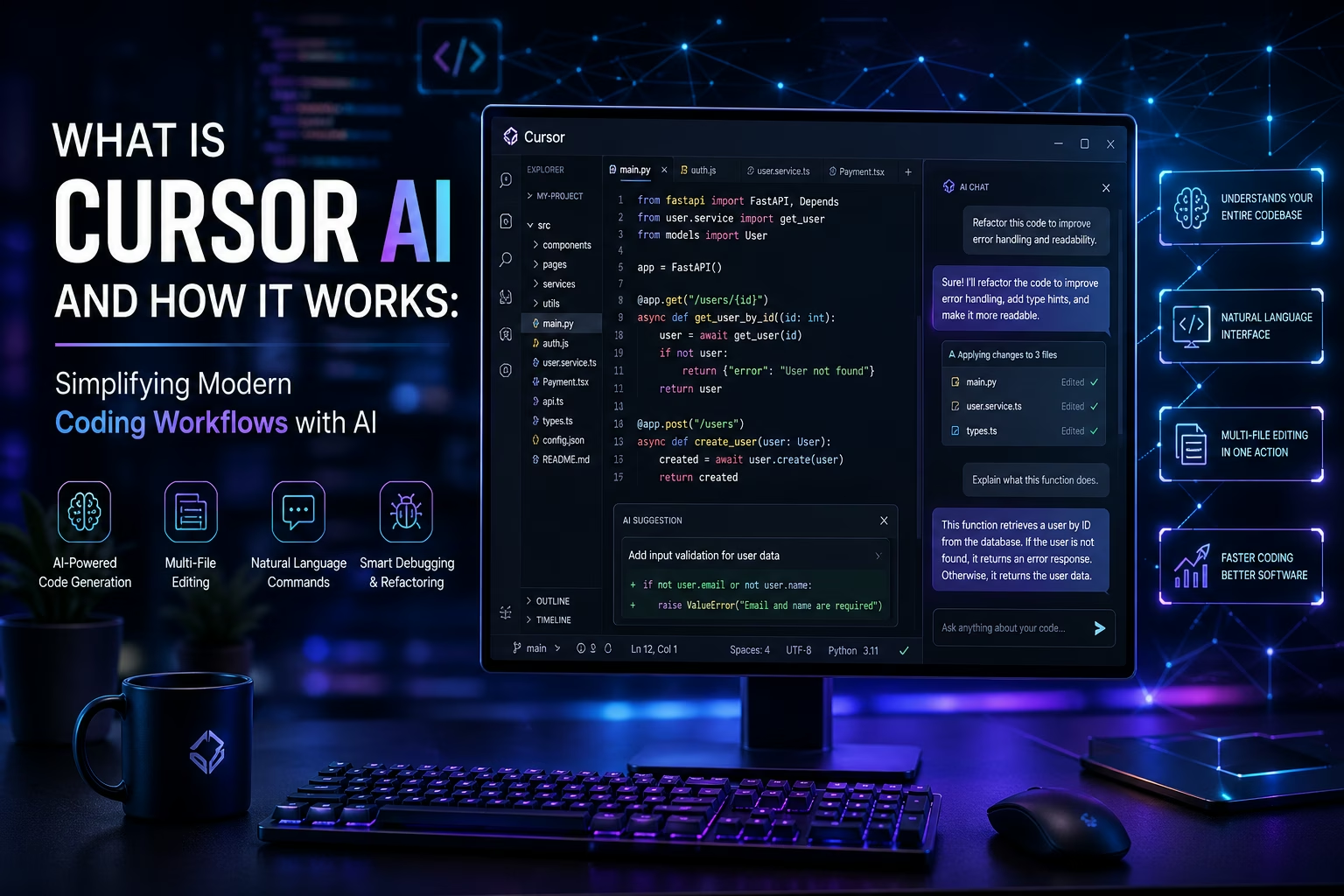
Cursor AI is not simply another code completion plugin. It is a full AI-powered code editor that:
- Understands your entire project and its structure
- Responds to plain English instructions and questions
- Edits multiple files simultaneously in a single action
- Actively helps you write better software, faster
Developers across startups, agencies, and large engineering teams are using it daily to speed up their work and reduce the mental load of repetitive coding tasks.
This article covers everything you need to know about Cursor AI — what it is, who built it, how it works, what features it offers, and why it is becoming a standard tool in modern software development. Whether you are a developer exploring AI tools or a business leader thinking about building your own AI-powered product, this guide is written clearly and practically for you.
1. What is Cursor AI?
Cursor AI is an AI-native code editor designed to help developers write, understand, and manage code more efficiently using the power of large language models.
Unlike traditional code editors that offer basic syntax highlighting or simple autocomplete, Cursor AI is deeply integrated with AI systems that understand the full context and structure of your codebase — not just the file currently open on your screen.
What Makes It Different from a Regular Editor?
| Feature | Traditional Editor | Cursor AI |
|---|---|---|
| Code suggestions | Basic autocomplete | Context-aware, multi-line AI suggestions |
| Codebase understanding | Current file only | Entire project indexed and understood |
| Interaction style | Manual commands | Natural language instructions |
| Debugging support | Syntax highlighting only. | AI-driven error analysis and fix suggestions |
| File editing | One file at a time | Multiple files edited in a single action |
Why Was It Created?
The traditional development experience had not meaningfully changed for years, even as AI technology advanced rapidly. Developers were still switching between their editor, browser tabs, documentation pages, and forums — constantly breaking their focus.
The founders of Cursor AI saw an opportunity to redesign the code editor from the ground up, with AI built into the core rather than added on as an afterthought. The goal was simple: reduce friction, eliminate repetitive work, and let developers focus on solving real problems.
2. Who Built Cursor AI?
Cursor AI is built by a company called Anysphere — an AI software company focused on making software development faster, smarter, and more accessible through the practical application of large language models.
Company Mission and Vision
- Mission: To build AI tools that meaningfully improve how developers work, by embedding intelligence directly into the coding environment
- Vision: A future where human intelligence and artificial intelligence collaborate closely in software development — with AI removing the tedious parts so developers can focus on the work that matters most
Anysphere operates as a lean, research-driven team that moves quickly and ships regularly. Since launching Cursor AI, the company has grown from an experimental project into one of the most recognized names in AI-powered development tooling, attracting significant investment and a rapidly expanding user base of individual developers and professional engineering teams worldwide.
3. Founders of Cursor AI and Their Backgrounds
Cursor AI was founded by four engineers and researchers who met at the Massachusetts Institute of Technology (MIT). Each founder brought a distinct set of skills that shaped the product into what it is today.
Founder 1: Michael Truell
Michael Truell is one of the lead founders of Cursor AI and serves a central role in the product's direction and development.
- Education: Massachusetts Institute of Technology (MIT), Computer Science
- Background: Deep involvement in AI research with a focused interest in how large language models can be applied to real-world engineering workflows
- Contribution: His combination of technical depth and product thinking heavily shaped Cursor's core architecture, user experience, and the overall philosophy behind how the editor works
- Why he built Cursor: Truell recognized that developers were spending enormous amounts of time on tasks that AI could handle — and that the code editor was the most logical place to make that change
Founder 2: Sualeh Asif
Sualeh Asif co-founded Cursor AI and contributed significantly to the engineering and research foundations of the product.
- Education: Massachusetts Institute of Technology (MIT)
- Background: Strong experience in applied AI and software systems
- Contribution: His technical work helped build the core infrastructure behind how Cursor reads, indexes, and understands large codebases — one of the product's most important and differentiating capabilities
- Focus area: Bridging the gap between cutting-edge AI research and practical, usable developer tooling
Founder 3: Aman Sanger
Aman Sanger brings complementary skills in systems engineering and AI model integration to the founding team.
- Education: Massachusetts Institute of Technology (MIT)
- Background: Experience working on complex software systems and AI integrations
- Contribution: Played a key role in how Cursor's AI models are connected and how they interact with the editor in real time, ensuring the tool is both powerful and responsive in practice
- Strength: Translating advanced AI capabilities into smooth, reliable developer-facing features
Founder 4: Arvid Lunnemark
Arvid Lunnemark rounds out the founding team with a strong focus on product development and software engineering.
- Education: Massachusetts Institute of Technology (MIT)
- Background: Technical background in software development and product building
- Contribution: Contributed to the product design and engineering work that makes Cursor practical and intuitive for everyday use by developers of all experience levels
- Focus area: Ensuring the product works well not just technically but from a real developer workflow perspective
What Drove Them to Build Cursor AI?
All four founders shared a common frustration: despite massive advances in AI, the daily experience of writing software had barely changed. They believed:
- The code editor was the right place to embed AI deeply, since it is where developers spend the majority of their time
- AI should be a collaborative tool, not a replacement — it should handle the mechanical work while the developer makes the decisions
- The best version of this tool needed to be built from scratch, not patched onto an existing editor
Their MIT background gave them access to cutting-edge AI research. Their hands-on experience building software gave them the practical understanding of what developers actually need. That combination is what makes Cursor AI distinctly useful rather than just technically impressive.
4. How Cursor AI Works
This is the most important section to understand if you want to know what genuinely separates Cursor AI from basic AI coding tools. It operates through several interconnected technical layers working together in real time.
Step 1 — AI Model Integration
Cursor AI is built on top of multiple large language models, including:
- Models from OpenAI (such as GPT-4)
- Models from Anthropic (such as Claude)
- Anysphere's own proprietary models trained specifically for coding tasks
These models give Cursor the ability to read and generate code, understand natural language instructions, reason about logic, and respond contextually to your specific project. You can configure which model to use depending on your preferences and the nature of the task.
Step 2 — Codebase Indexing and Understanding
When you open a project in Cursor, it does something most tools do not — it indexes your entire codebase. This means:
- It reads all your files and maps how they connect to each other
- It understands your project's architecture, naming conventions, and patterns
- It builds a contextual picture of your entire codebase, not just the file you have open
This is why Cursor's suggestions and answers feel relevant and specific rather than generic.
Step 3 — Context-Aware Responses
Context is everything in software development. A function in one file often depends on a class in another. A bug in one module can trace back to a configuration set elsewhere. Cursor maintains this full context so that when you ask a question or give an instruction, it responds with full awareness of how your project is structured.
Step 4 — Natural Language Commands
You do not need to learn special syntax or new commands. You interact with Cursor using plain English. For example:
- "Add input validation to this form function"
- "Refactor this code to use async/await"
- "Explain what this function does"
- "Find where the authentication logic is handled"
Cursor reads these instructions, understands the intent, and takes action — or gives a clear, contextual answer — based on your actual codebase.
Step 5 — Multi-File Editing
This is one of Cursor's most powerful capabilities. When a change in one file requires corresponding updates in others, Cursor handles all of it in one action. For example:
- Updating an API endpoint and its related types and tests simultaneously
- Renaming a function across every file it appears in
- Restructuring a module while keeping all references consistent
This eliminates a significant amount of manual work that would otherwise take considerable time.
Step 6 — Code Generation and Debugging
- Code generation: Describe what you need in plain English and Cursor generates functional, context-aware code based on your project
- Debugging: Paste an error message or describe unexpected behavior and Cursor reads the stack trace, understands the context, and suggests specific fixes
5. Key Features of Cursor AI
Here is a clear overview of what Cursor AI offers:
- AI Code Generation — Describe a feature or function in plain English and Cursor writes the code based on your project context
- Smart Multi-Line Autocomplete — Predicts what you are about to write using your coding patterns and project structure, going well beyond single-line suggestions
- Multi-File Editing — Apply complex changes across multiple files in a single step, keeping your entire codebase consistent
- AI Chat Inside the Editor — Ask questions, request explanations, or get code recommendations without ever leaving your editor window
- Codebase Q&A — Ask questions like "where is the payment logic handled?" and get accurate, project-specific answers
- Debugging Assistance — Paste error messages or describe bugs and receive contextual fix suggestions
- Code Review and Refactoring — Ask Cursor to simplify complex logic, apply better patterns, or update outdated practices
- VS Code Compatibility — Built on the VS Code foundation, meaning your existing extensions, themes, and keybindings all work inside Cursor without reconfiguration
6. How Cursor AI Simplifies Coding Workflows
The real value of Cursor AI shows up in how it transforms the everyday experience of building software.
1. Faster Development
Tasks that once took hours — writing boilerplate code, setting up new features, wiring API connections — can now be completed in minutes. Developers spend less time on repetitive work and more time on the logic that actually matters.
2. Reduced Context Switching
Before Cursor, developers constantly switched between their editor, browser, documentation, and forums — constantly breaking focus. Cursor keeps everything inside the editor. You ask, get answers, and apply fixes without losing your train of thought.
3. Easier Team Onboarding
When a developer joins a new project, getting up to speed on an existing codebase can take days or weeks. With Cursor, they can ask questions directly about the code and receive clear, contextual answers instantly — dramatically shortening the time to productivity.
4. Better Debugging
Finding and fixing bugs is often the most time-consuming part of development. Cursor reads error messages, understands the surrounding code, and provides specific and actionable solutions rather than generic advice.
5. Cleaner Code Over Time
By regularly suggesting refactors and improvements, Cursor helps developers build better habits and maintain a cleaner, more readable codebase as a project grows.
7. Benefits of Using Cursor AI
- Saves development time on both simple tasks and complex feature work
- Improves code quality through intelligent suggestions, refactoring support, and context-aware generation
- Helps beginner developers learn faster by providing explanations and guidance directly inside their editor
- Supports professional developers in managing large, complex projects without losing efficiency
- Reduces cognitive load so developers can focus on architecture, design, and problem-solving
- Speeds up debugging by helping identify and resolve issues faster and more accurately
- Improves team collaboration by making codebases easier to navigate and understand for everyone
- Familiar environment since it is built on VS Code — there is no steep learning curve for the interface itself
8. Real Impact on Modern Software Development
Cursor AI represents something larger than a single useful tool. It reflects a genuine and lasting shift in how professional software development works.
The industry is actively moving toward AI-assisted development environments where developers and AI work closely together. In this model:
- The developer sets direction, makes architectural decisions, and reviews output
- The AI handles implementation details, searches for patterns, writes routine code, and flags potential issues
This collaboration makes teams significantly more productive. Smaller teams can build more ambitious products. Individual developers can take on larger projects. Companies can ship software faster without sacrificing quality.
Importantly, the human element does not disappear in this model — it becomes more valuable. Developers who know how to work with AI tools effectively, direct them precisely, and evaluate their output critically are becoming the most sought-after professionals in the industry. Cursor AI is at the center of that transition.
9. Limitations and Considerations
Cursor AI is impressive, but it is important to understand its limitations honestly before adopting it.
- Not always accurate — The AI can generate code that looks correct but contains logic errors, security issues, or edge cases it missed. Every suggestion should be reviewed before going into production
- Requires human judgment — Cursor makes you faster, but it does not replace the need for a developer who genuinely understands the problem being solved
- Learning curve for effective use — Getting the most out of Cursor takes time. Learning how to write effective prompts and when to trust or override suggestions requires practice
- Internet dependency — Advanced AI features rely on external model APIs, so a reliable internet connection is required for most of the tool's capabilities
- Cost for heavy usage — The free tier has usage limits. Teams that rely on Cursor heavily will need a paid plan, which should be factored into budget planning
10. Business Opportunity in AI Software Development
The rise of tools like Cursor AI points toward a much larger and still largely untapped market opportunity. Businesses across every industry are beginning to recognize that custom AI-powered software can deliver a meaningful competitive advantage.
There is strong and growing demand for:
- Industry-specific AI tools — Legal firms needing intelligent document analysis, healthcare providers needing clinical data tools, logistics companies needing workflow automation
- Internal developer productivity tools — Custom coding assistants, automated testing tools, and intelligent code review systems built for specific engineering teams
- Client-facing AI products — Platforms and applications that use AI to deliver better, faster experiences to end users
- Business automation systems — AI-driven workflows that reduce manual work and improve operational efficiency
The ability to design, build, and deliver these systems is one of the most valuable capabilities in the current technology market — and demand is growing faster than supply.
11. Building Custom AI Software Solutions
If the capabilities of Cursor AI have inspired you to think about what AI software could do for your own business, that is exactly the right question to be asking.
The technology behind tools like Cursor — large language models, context-aware AI, natural language interfaces — is not exclusive to large tech companies. It can be applied to build custom solutions tailored specifically to your business needs, your industry, and your workflows.
Let Digital Fly is a digital product development company that works with businesses to build custom AI-powered software, automation systems, and developer tools. Whether you need:
- An intelligent internal tool for your team
- A client-facing AI product or platform
- A business automation system
- A custom developer productivity tool
Their team has the technical expertise and product development experience to take you from initial concept to a working, production-ready solution.
Frequently Asked Questions: FAQs
1. Can Cursor AI be used for AI model development?
Yes, but primarily for the coding and integration side.
Cursor is an excellent tool for writing the boilerplate code, data processing scripts, and training loops required for machine learning (using frameworks like PyTorch, TensorFlow, or Keras). It can help you:
-
Generate Model Architectures: Ask it to "build a transformer model using PyTorch," and it will scaffold the layers for you.
-
Debug ML Scripts: It is highly effective at finding shape-mismatch errors in neural networks.
-
Data Pipelines: You can use it to quickly write ETL (Extract, Transform, Load) scripts for your datasets.
-
Limitation: It is not a replacement for high-performance computing (HPC) environments. You still need dedicated GPUs or cloud platforms (like Lambda Labs or AWS) to actually train heavy models.
2. Does Cursor AI track memory across conversations?
Not by default, but you can enable it.
Cursor treats each new chat as a clean slate to avoid "hallucinations" or context bleeding from unrelated tasks. However, there are two ways to maintain memory:
-
Project Rules (.cursorrules): You can create a file in your project that tells Cursor to always follow certain coding standards or architectural decisions. This acts as "permanent memory" for that specific project.
-
MCP (Model Context Protocol): As of 2026, Cursor supports MCP servers which can maintain a "memory project" across sessions.
-
Previous Version Note: The "Memories" feature from 2025 was largely replaced by the more robust Rules and Context system to give developers more explicit control.
3. How to use local models with Cursor AI?
Cursor requires a publicly reachable HTTPS endpoint to communicate with models; it cannot currently talk to localhost directly because it processes prompts through its own cloud coordination layer.
-
Run a Local Server: Use Ollama (port 11434) or LM Studio (port 1234).
-
Create an HTTPS Tunnel: Use a tool like ngrok to expose your local port (e.g.,
ngrok http 11434). -
Configure Cursor: * Go to Settings > Models > OpenAI Configuration.
-
Set the Override OpenAI Base URL to your ngrok URL (e.g.,
https://your-id.ngrok-free.app/v1). -
Use any placeholder text for the API key.
-
-
Add Model Name: Manually type the name of the model you are running locally (e.g.,
llama3).
4. Is Cursor AI free for students?
Yes, for one year.
As of May 2026, Cursor offers a Free Pro Year for eligible university students.
-
The Deal: You get 12 months of the Pro Plan ($240 value) for free, which includes unlimited code completions and a monthly credit pool for premium models like GPT-4o or Claude 3.5 Sonnet.
-
Requirements: You must sign up with a valid
.eduor institutional email address and verify your status through their student portal. -
After One Year: Your account will automatically revert to the "Hobby" (free) tier unless you choose to pay for a subscription.
If you are planning to build AI-based software or any custom digital solution, you can contact our team through the Contact page. Whether you are at the idea stage or ready to begin development, the right team can help you build something that genuinely works.