How AI Automation Benefits the Coaching and Consulting Industry

Explore how AI automation can help coaching and consulting businesses reduce repetitive tasks, improve workflows, strengthen client communication, and create more time for high-value work.
Running a coaching or consulting business is not only about serving clients. Behind every successful engagement are hours of scheduling, lead follow-ups, emails, documentation, reporting, and other administrative work. As the client base grows, these tasks can take valuable time away from revenue-generating and client-focused activities.
This is where AI automation can create a practical business advantage. By automating repetitive workflows, coaches and consultants can reduce manual work, respond to clients faster, improve operational efficiency, and create more capacity without adding unnecessary complexity. Understanding the benefits of AI automation for the coaching and consulting industry can help business owners identify where technology can support growth while keeping human expertise at the center of the client experience.
The goal is not to automate everything. It is to identify the right processes, improve them with AI, and give professionals more time to focus on clients, strategy, and business growth.
What Is AI Automation in Coaching and Consulting?
AI automation combines artificial intelligence with automated workflows to complete repetitive or predictable tasks with limited manual involvement. Unlike traditional automation, which usually follows fixed rules, AI-powered systems can also process information, generate content, identify patterns, summarize information, and support certain decisions.
For a coaching or consulting business, this technology can be used across different parts of the customer journey and internal operations.
For example, an automated workflow could collect information from a new client, organize it in a CRM, send a confirmation message, prepare onboarding information, and notify the coach that the client is ready for the next step.
The professional still controls the important decisions. The technology simply reduces the administrative work surrounding them.
This distinction matters. The goal is not to automate the relationship between a professional and a client. The goal is to automate the repetitive work surrounding that relationship.
Why Is AI Automation Valuable for Coaches and Consultants?
Time is one of the most important resources for independent coaches, consultants, agencies, and small professional-service businesses. Every hour spent on repetitive administration is an hour that cannot be spent with a client, developing a service, creating a strategy, or generating new business.
AI automation can help shift that balance.
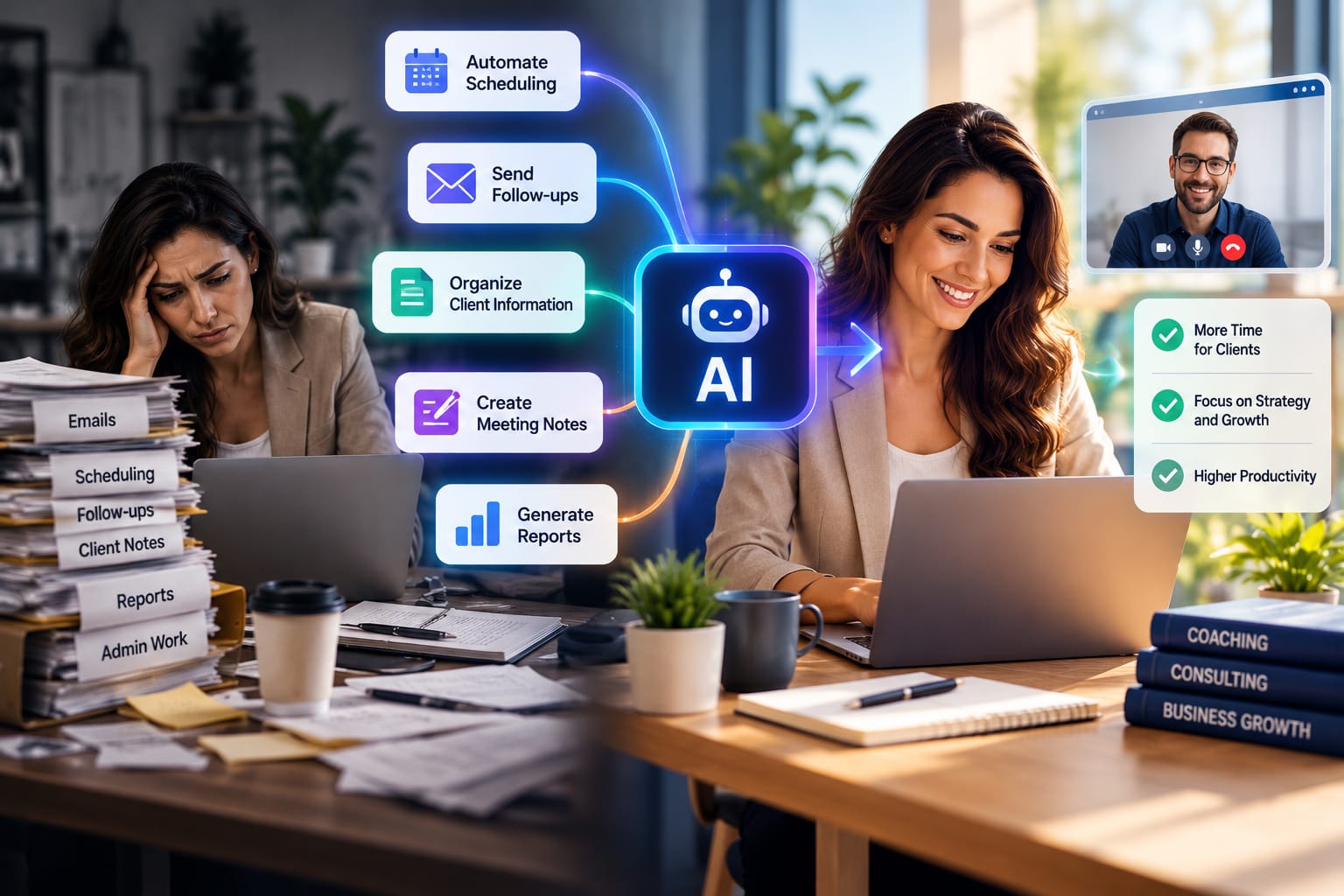
Common opportunities include:
- Automating appointment scheduling
- Sending routine follow-up messages
- Organizing client information
- Creating meeting summaries
- Managing lead inquiries
- Preparing reports
- Sorting documents
- Tracking tasks and deadlines
- Supporting basic customer questions
- Maintaining consistent communication
- Creating initial drafts of routine documents
- Organizing internal knowledge
The value depends on how well the automation matches the actual workflow. A complicated system is not necessarily a better system.
For a small consulting practice, automating three high-volume tasks may create more value than introducing ten different AI tools that employees rarely use.
1. Save Time on Repetitive Administrative Work
Administrative tasks can quietly consume a large portion of a professional's day.
A consultant may need to respond to similar questions from potential clients, organize meeting notes, update records, and prepare follow-up emails. A coach may spend time managing appointments, sending reminders, updating client information, and preparing session materials.
AI automation can handle many of these predictable activities.
For example, after a consultation, an automated workflow could organize meeting information and create a draft follow-up for the professional to review. The human remains responsible for the final message, while the technology reduces the amount of repetitive preparation.
This can have a direct operational benefit. If a process takes 30 minutes and occurs several times every day, even a partial reduction in manual work can create meaningful time savings over a month.
The result is not simply faster work. It can also create more space for higher-value activities.
2. Improve Client Communication
Clients expect businesses to respond quickly and communicate clearly. However, a small coaching or consulting team may not always have someone available to respond immediately.
AI-powered automation can help with routine communication.
A system can acknowledge an inquiry, provide basic information, send appointment reminders, or guide a potential client toward the appropriate next step. More complex questions can then be passed to a human professional.
This creates a useful balance: automation handles predictable communication, while people handle situations that require experience, empathy, and judgment.
Consistency is another benefit. Automated workflows can help ensure that important reminders and follow-ups are not forgotten.
For example, instead of manually remembering to contact every prospect after an introductory call, a business can create a workflow that reminds the team or prepares a draft message at the appropriate time.
3. Make Lead Management More Efficient
Generating leads is only part of growing a coaching or consulting business. Those leads also need to be organized and followed up.
Without a structured process, potential clients can be overlooked.
AI automation can help capture information from inquiries, categorize leads, update CRM records, and trigger appropriate follow-up workflows. A business could, for instance, separate new inquiries from existing clients and route each group through a different process.
This allows professionals to spend less time manually organizing prospects and more time having meaningful conversations with qualified leads.
However, automation should not turn every interaction into a generic sales message. Personalization and human judgment remain important, particularly in industries where trust is central to the buying decision.
A good system should make the sales process more organized without making it feel impersonal.
4. Simplify Meeting Notes and Documentation
Documentation is another area where AI can reduce manual effort.
After a meeting, a professional may need to review notes, identify action items, and prepare a summary. AI tools can assist with summarization and organization, provided the business uses appropriate privacy and security controls.
A consultant could use an AI-supported workflow to identify key discussion points and action items from a meeting. The consultant can then review the output before it is shared or stored.
This can make documentation more consistent without removing professional oversight.
The important principle is simple: AI-generated information should be reviewed when accuracy matters.
This is particularly important when documentation contains client-specific information, recommendations, financial details, or other sensitive material.
5. Personalize the Client Experience
Automation does not always have to mean generic communication.
When connected to appropriate client information, automated workflows can help businesses deliver more relevant experiences. For example, a coaching business might use different onboarding sequences depending on a client's selected service, goals, or stage in the program.
A consulting firm could also organize clients according to project type and provide relevant resources, reminders, or updates.
This type of personalization can make automation feel less mechanical. The technology handles the process, while the professional defines what information and communication are actually useful.
The key is to use available information responsibly. Personalization should improve the client experience rather than become excessive or intrusive.
6. Reduce Operational Errors
Manual processes create opportunities for mistakes.
A missed follow-up, incorrect calendar entry, forgotten reminder, or incomplete record can affect the client experience. Automation can reduce some of these process-related errors by following predefined workflows consistently.
For example, a client onboarding workflow can automatically remind the team when a required document is missing. A scheduling workflow can send reminders before an appointment. A CRM workflow can update a lead's status after a specific action.
That does not mean automated systems are error-free. AI can make mistakes, and poorly designed workflows can repeat mistakes at scale.
For that reason, businesses should introduce automation carefully, test workflows, and establish human review where necessary.
7. Help Small Businesses Scale Without Immediately Expanding Staff
A growing coaching or consulting business may receive more clients without having enough administrative capacity to support them.
Hiring additional staff may eventually become necessary, but automation can help manage certain processes before that point.
For example, a small consulting practice could automate appointment confirmations, basic intake processes, document organization, and routine follow-ups. This allows the existing team to handle a larger workload without spending every additional hour on administration.
This is one of the practical benefits AI automation can offer to coaching and consulting businesses when it is applied to the right processes.
However, scaling should not mean removing the human element. A business still needs professionals who can understand clients, solve complex problems, make decisions, and maintain relationships.
8. Improve Business Productivity
Productivity is not simply about completing more tasks. It is about using available time and resources more effectively.
AI automation can help employees spend less time switching between applications and manually moving information from one system to another.
For example, information collected through an online form could automatically move into a CRM, trigger an internal notification, and prepare the next step in the onboarding process.
Without automation, someone may have to perform each of those actions manually.
When repeated hundreds of times, small inefficiencies can become significant operational costs. Streamlining them can make everyday business processes easier to manage.
9. Support Better Business Decisions
AI can also assist with organizing and analyzing business information.
A coaching or consulting company may have data about leads, appointments, client engagement, project progress, or service performance. AI-powered systems can help organize this information and surface patterns for further review.
For instance, a business might identify which services generate the most inquiries or where potential clients commonly stop during the onboarding process.
The technology does not automatically determine what the business should do. Instead, it can make relevant information easier to review.
This distinction is important for responsible decision-making. Business owners should verify important findings and consider the context behind the data before making significant decisions.
Which Tasks Should You Automate First?
Not every task is a good candidate for automation.
The best starting point is usually a process that is:
- Repetitive
- Time-consuming
- Based on clear rules
- Frequent enough to create measurable savings
- Low-risk when automated
- Easy to review
- Connected to a clear business outcome
For example, appointment reminders are generally easier to automate than personalized coaching advice.
A useful approach is to list recurring tasks and estimate how much time each one takes every week. Then identify the processes that consume significant time without requiring much professional judgment.
It is also useful to consider the frequency of a task. Automating something that happens once a month may have less impact than improving a process that occurs dozens of times each week.
Starting small makes testing easier and allows the business to learn before making larger investments.
How to Implement AI Automation Successfully
AI automation works best when implementation begins with the business problem rather than the technology.
Choosing a popular AI tool first and then searching for a reason to use it can create unnecessary complexity. Instead, begin by identifying a real operational problem.
Start With One Workflow
Choose one process that causes a noticeable amount of repetitive work.
Document how it currently works from beginning to end. Write down every step, including where information enters the process, who handles it, which software is involved, and where delays commonly occur.
Then identify which steps require human involvement and which could potentially be automated.
Set a Measurable Goal
Do not simply aim to “use AI.”
Instead, define an outcome. You might want to reduce administrative time, improve response speed, decrease missed follow-ups, or process inquiries more efficiently.
For example, a business could aim to reduce the time spent managing appointment confirmations by a specific amount each week.
A measurable goal makes it easier to determine whether the automation is actually useful.
Choose Tools That Fit Existing Systems
An automation system should work with the software a business already uses whenever possible.
Before adopting a new platform, consider whether it can integrate with existing calendars, CRMs, email systems, forms, communication tools, and document platforms.
Too many disconnected systems can create new problems instead of solving old ones.
Keep Human Oversight
Human review is particularly important when automation involves client information, professional advice, sensitive data, or important business decisions.
AI should assist professionals, not become an unchecked decision-maker.
A useful workflow might allow AI to prepare a draft, summary, classification, or recommendation while leaving the final decision to a qualified person.
Review and Improve the Workflow
After implementation, monitor what happens.
Look for errors, unnecessary steps, client feedback, and areas where the workflow creates friction. AI automation should be treated as an evolving business process rather than a system that is installed once and forgotten.
Regular review can also reveal new opportunities for improvement.
Data Privacy and Security Considerations
AI automation can involve client information, business documents, communication records, and other sensitive data. That makes privacy and security an important part of implementation.
Before using an AI-powered service, businesses should understand what information it receives, how that information is handled, what access controls are available, and whether the service meets the organization's security requirements.
Access should also be limited to people and systems that genuinely need the information.
For coaching and consulting businesses, trust is especially important. Clients should feel confident that their information is being handled responsibly.
Businesses should also establish internal rules for employees. For example, employees may need clear guidance about what information can be entered into an AI tool and what information should remain within approved systems.
Common Mistakes to Avoid
One common mistake is automating a poorly designed process. If the original workflow is confusing, automation can simply make the confusion happen faster.
Another mistake is using too many tools at once. A coaching or consulting business does not need an AI solution for every task.
Businesses should also avoid ignoring data privacy. Client information can be sensitive, so organizations need to understand what data their tools collect, where it is processed, who can access it, and what security measures are available.
Another issue is failing to train employees. Even a well-designed workflow can fail if the people using it do not understand how it works or when human intervention is required.
Finally, avoid removing human interaction from areas where trust and professional expertise matter most. Technology should support the client relationship rather than weaken it.
How to Measure the Business Impact of AI Automation
Before and after comparisons can help determine whether an automation project is actually producing value.
Start by recording a baseline. For example, measure how much time the team currently spends handling a particular process.
After implementation, compare the new process with the original one.
Useful measurements may include:
- Hours saved per week
- Response time
- Number of completed follow-ups
- Lead conversion rates
- Administrative costs
- Processing time
- Error frequency
- Client satisfaction
- Employee workload
Not every result needs to be financial. Saving several hours each week may be valuable even if the immediate revenue impact is difficult to calculate.
The most useful measurement depends on the original business problem.
AI Automation Should Support, Not Replace, Human Expertise
Coaching and consulting are relationship-driven industries. Clients often pay for experience, judgment, communication, problem-solving, and personalized guidance.
Those qualities cannot simply be reduced to an automated workflow.
AI automation is most useful when it removes unnecessary administrative friction while leaving important human interactions in human hands.
A coach should still understand the client's situation. A consultant should still analyze complex business problems. A professional should still review important information before acting on it.
The technology works best as a support layer around professional expertise.
Conclusion
The most valuable AI automation benefits for coaching and consulting businesses come from solving practical problems, not from adopting AI simply because it is popular.
For coaches and consultants, automation can reduce repetitive administration, improve communication, organize information, support lead management, improve productivity, and create more time for client-focused work. It can also help growing businesses handle higher workloads without immediately increasing administrative overhead.
But successful implementation requires more than choosing an AI tool.
Start with one repetitive process. Define the problem, establish a measurable goal, test the workflow, and keep human oversight where it matters. Then use the results to decide what should come next.
The strongest strategy is not to automate everything. It is to automate the right things.
When AI automation is designed around real business needs, it becomes more than a productivity tool. It can become a practical part of a coaching or consulting business's long-term workflow—helping professionals spend less time on routine tasks and more time doing the work that requires their expertise